Showing posts with label Launchers. Show all posts

Thursday, 7 July 2016

Hola Launcher

Introducing Hola Launcher 2.0: faster, more useful, and even more beautiful, for an unprecedented experience - Personalize your device with this small, lightweight, and easy-to-use alternative to your default home launcher. - Less is more! Beauty in simplicity. - Hola Launcher is only 4MB large, making it quick to download and easy to install.  - At the same time, we've focused on a clean and simple user experience that you can further customize with beautiful themes and wallpapers. - Hola Launcher: Smaller, yet bigger.
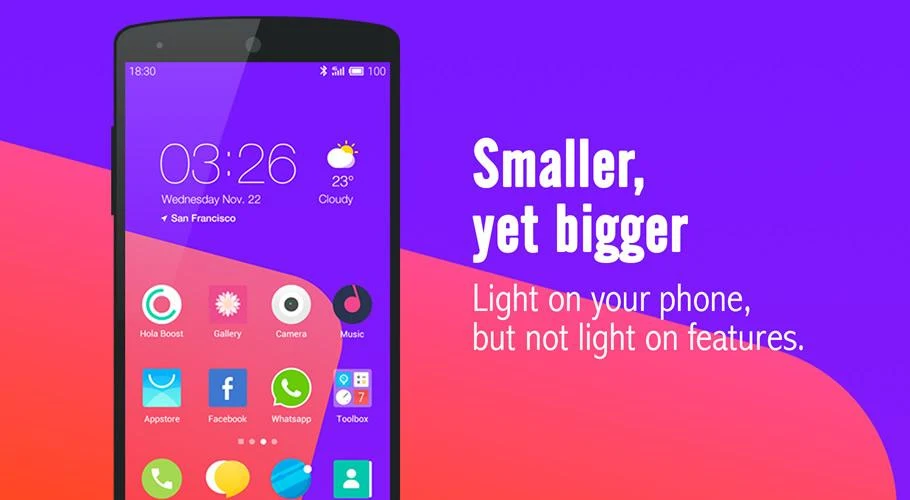

   Hola Launcher - Simple, Fast- screenshot      Hola Launcher - Simple, Fast- screenshot      Hola Launcher - Simple, Fast- screenshot      Hola Launcher - Simple, Fast- screenshot   


 FEATURES

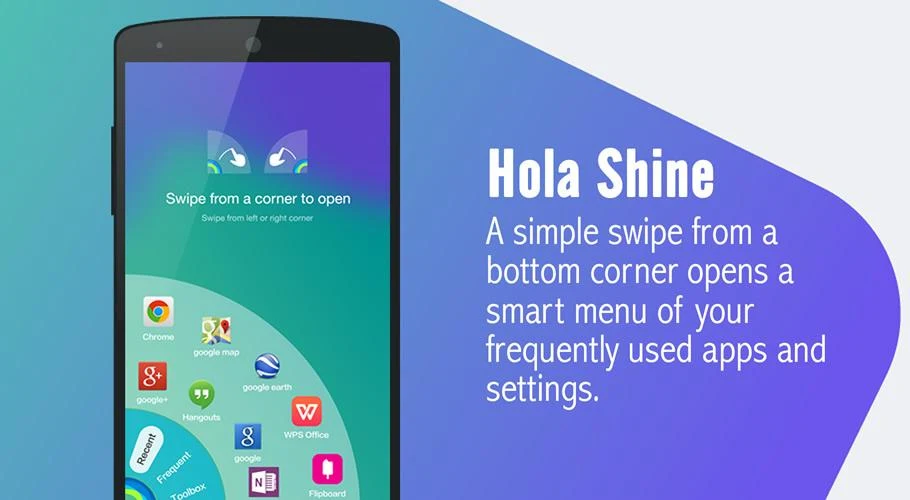
- Hola Shine - A simple swipe from a bottom corner opens a smart menu of your frequently used apps and settings.
- Hola Boost - Free up memory (RAM) and further speed up your phone with a single tap!
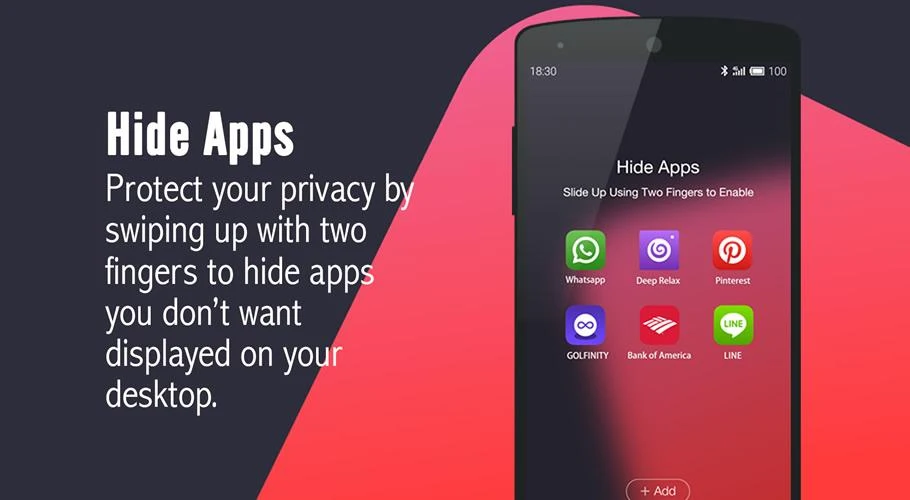
- Hola Box - Protect your privacy by swiping up with two fingers to hide apps you don't want displayed on your desktop.
- Search - Swipe down on your screen to quickly find apps, contacts, or websites. You can also use voice search!
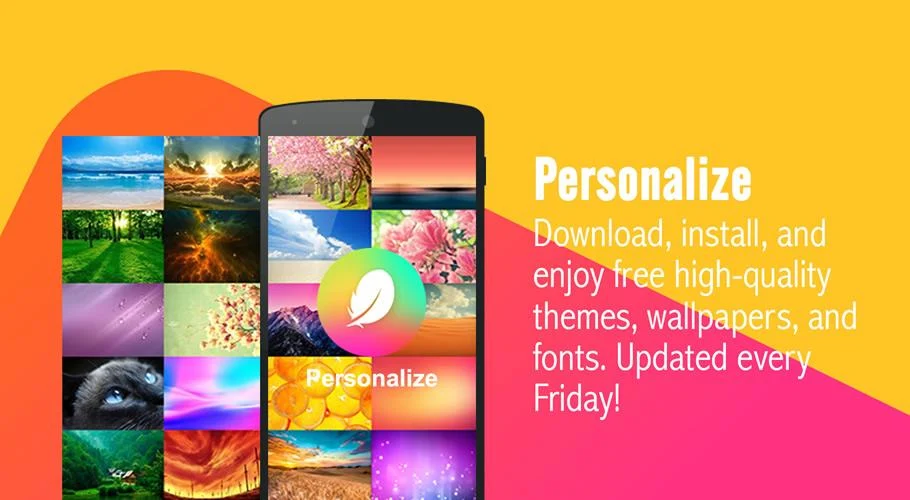
- Personalize - Download, install, and enjoy free high-quality themes, wallpapers, and fonts. Updated every Friday! 
- Intercept - Keep your desktop clean and clutter-free by manually approving any shortcuts added to your desktop! 
- Notifications - Never miss an important message again from your friends and family with home screen icon notifications.
- Screen Lock - Double-tap your desktop to lock your phone's screen, freeing up and extending your power button's life.
- Weather Forecast - Conveniently see weather forecast information for the next 6 days.
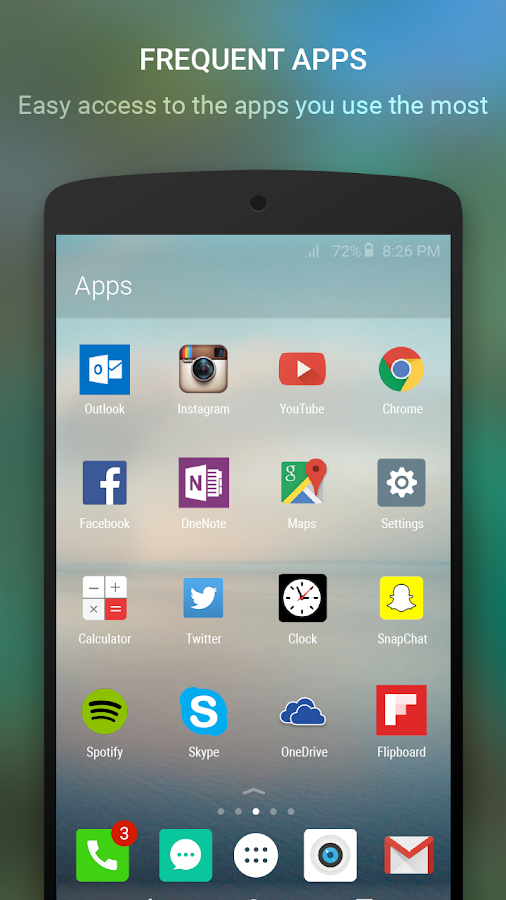
- Priority Apps - Place the apps you use most on your default home screen, so they launch faster.
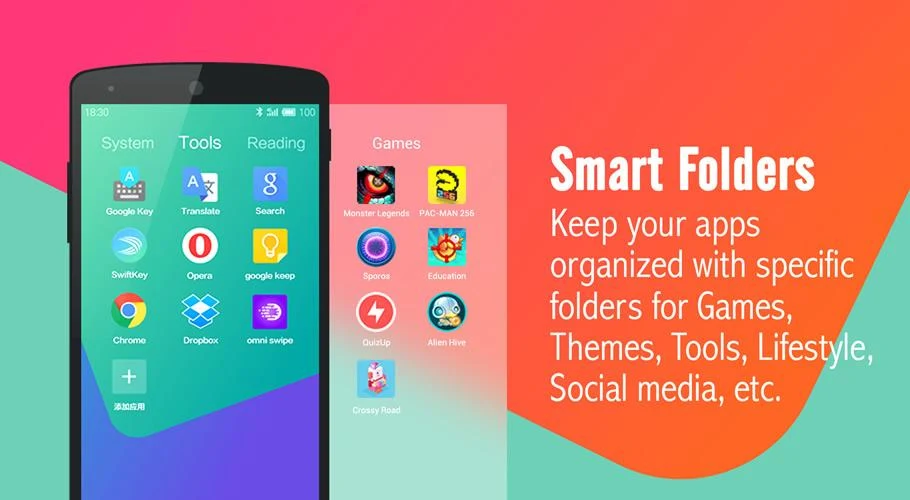
- Smart Folders - Keep your apps organized with specific folders for Games, Themes, Tools, Lifestyle, Social media, etc.


   Hola Launcher - Simple, Fast- screenshot      Hola Launcher - Simple, Fast- screenshot      Hola Launcher - Simple, Fast- screenshot


★ Get 10,000 elegant, high-definition icons to set your device apart from the rest.
★ An all-new Clock and Weather widget not only whimsically displays a week's worth of weather information but also lets you add multiple cities so you can keep track of the weather around the world.
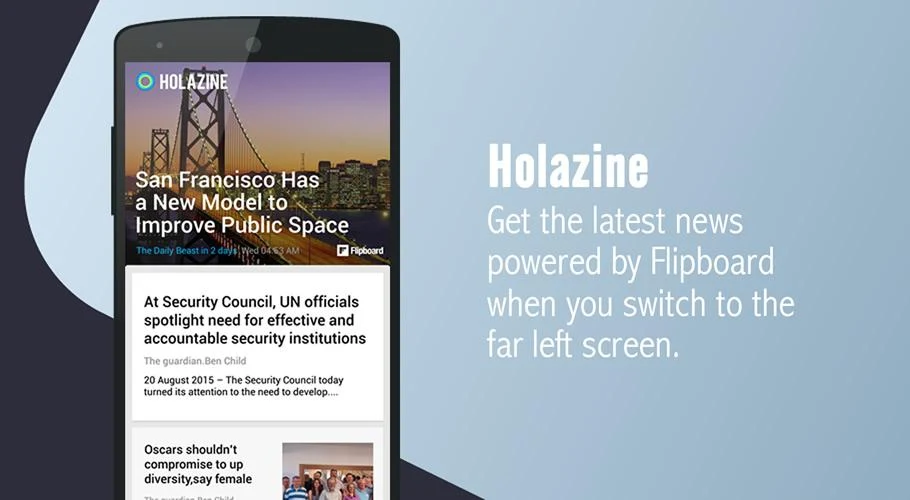
★ Swipe to the far left and browse the latest high-quality news and content in Holazine.
★ Swipe down and search both the internet and your installed apps with an upgraded, faster, and more convenient Search.
★ Have Hola Launcher automatically delight you with a new, free, and gorgeous wallpaper each day so every day is different from the one before.


DOWNLOAD APK 
APK SIZE : 4MB


Saturday, 9 April 2016

Arrow launcher


Arrow launcher is one of the simple and more useful launcher from Microsoft. Microsoft is famous for making simple launcher for android. This launcher give a new look and feel to your old device if your device is stick with an old version of android the ui of the launcher is totally different from the stock android.


Arrow, a Microsoft Garage project, is the simple, personal launcher for Android that offers a radical simplification of the Android experience. Arrow makes it easy to find, launch and get back to your favorite apps, keep in touch with friends, and stay on top of the important things in your life. Arrow learns from you – the more you use it, the better it gets. It does the heavy lifting so you can spend less time managing preferences, and more time enjoying your phone. Your relationship with your phone doesn’t have to be complicated. 


   Arrow Launcher- screenshot


    Arrow Launcher- screenshot


    Arrow Launcher- screenshot


Key Features: Made for You
Arrow is designed for simplicity, and personalized to your usage habits.
• Apps: No more wasting time finding the app you need – your apps are automatically arranged based on your usage
• People: Easily find and contact the people who matter the most to you
• Reminders: Never forget to pick up milk or call your spouse with integrated reminders
• Recent: Quickly get back to your recent photos, file downloads, app installs, and even dropped calls

Other Features: Customization, Elegance and Performance
• Page Management: Re-arrange pages, show/hide a particular page, and set a specific page as your home page.
• Widgets: Arrow is compatible with all your favorite widgets, organized on one page
• Customizable Dock: Conveniently access your favorite apps in the dock from any screen.
• Bing & Custom Wallpapers: Receive a beautiful new wallpaper every day or customize your own.
• 3rd Party Icon Pack Support: Theme your icons with a third party icon pack.
• Performance: Arrow is lightweight, and optimized for battery life and speed to help you enjoy your phone all day.


   Download Now 


Monday, 19 October 2015

The Marshmallow Launcher APK

Screenshots


The Marshmallow look 
-------------------------------------
To get the Marshmallow look do the following
GO TO DRAWER SETTING FROM LAUNCHER SETTING

1.check the "Show the pages as cards".
2."Drawer card color" to white 
3."Drawer "background color" to back
4.set the "drawer transparency" to your liking recommended 90%
5.For reference see the last screenshot .

Highs
-------------------------------
(SLIDING ACTION FEELF VERY NATURAL ON GALAXY S6 EDGE)

★Slide screen > slide from the left edge of the phone, there is a whole new interface .
★Built around googles now launcher so extremely stable.
★There are literally hundreds of customization options.
★You can add your favourite apps on the slide screen.
★Hide apps > go to app drawer > menu on top of the screen >hide apps.
★Customize folder as you like there a separate section for that 
★Gesture support.
★Missed call/sms/email count.
★Folder background color can be customized.
★Letter guide ui available in the app drawer go to app drawer section of the launcher setting to avail this option
★App drawer transparency can be customized.

AND MUCH MORE .....

Requirements: 3.0 + Modded Google Play or Freedom
Overview: Finally, a fully functional camera that prints date/time and location (optional) on your photos as you take them!


 Download Now 


Wednesday, 20 May 2015

Smart Launcher Pro 3 v3.05.7 Apk

Screenshots


SIMPLE, LIGHT, FAST

Speed up your device with Smart Launcher Pro 3. The innovative launcher that makes your Android more intuitive and well organized. Find out why it has been downloaded by over twenty million people.
Smart Launcher 3 is completely different from any other launcher on Play Store. It’s not based on the AOSP launcher.

– Low resource requirements, save RAM and battery
– Material design
– Quick access to your favourite apps
– Double tap on an icon to start a second app
– Your apps list is automatically sorted by categories
– Search bar for quick search in apps, contacts and web
– Notifications on homescreen
– Turn off the screen with a double tap or just by leaving your device on a flat surface
– Integrated lockscreen with notifications
– Highly personalizable. Tons of themes and lockscreen, support for almost all iconpack
– Plugin architecture. You can download and enable only the features you want
– Security: You can hide apps from the apps grid and protect them with password
– Optimized to be comfortably used both in portrait and landscape mode
– Runs on almost every Android device. Runs on phone, tablet and Google TV
– Community driven development

What’s New
Version 3.0x
The biggest SL update ever!
– Material design
– Smart search bar.
– Flat surface detection.
– Resizable widget for the homescreen.
– New quickstart layout: ARC
– Editable label for apps
– New lockscreen with notifications
– Sort mode “by install time”

Requires Android: 2.2 and up


   Download Now 


Saturday, 9 May 2015

KK Launcher Prime (Lollipop launcher) v6.2 Apk

Screenshots


★KK Launcher is the Top 1 KitKat Android L style launcher; Most Fast, Cool, Powerful, and AD Free
★KK Launcher target users:
Who want latest Android experience.
Who want smooth operation; clean and modern design.
Who want their phones to be powerful and playful
★ Users review:
“Kk launcher is very SEXY and very very loved it” — Rajal Choudhary
“Makes my phone look advanced , love it !!!!” — Israel Garza
“Best on the market, blows Nova launcher out of the water!!” — James Mitchell
“An actively developed launcher featuring lots of customization; the performance is simply amazing, scrolling is very smooth.” — xda-developers.com
★ What make KK Launcher outstanding comparing to other launcher?
1. KK Launcher have 20+ unique,COOL and useful features: such as Sidebar, Super folder, Private folder, App Lock, Double tap to turn off screen
2. Compare to Nova Launcher(or Apex Launcher,Solo Launcher), KK launcher base on KitKat, has latest Android UI and UE; while Nova Launcher base on ICS
3. Compare to Google Now Launcher, KK launcher has all of its features, adding many useful features

★ KK Launcher Features: 
1. Support icon theme: 
— Find 1000+ of launcher icon pack from Google Play Store; compatible with themes of nova launcher,solo launcher,go launcher,apex launcher, etc
2. Handy Sidebar:
— Include Memory cleaner; Quick toggle; Favorite apps, and Sidebar can be launched from everywhere
3. Highly customize: 
— Have 200+ of launcher options to tune your devices; options for grid size, app folder, 4 UI size mode, dock pages …
4. Support color theme: 
— Customize icon color, shape, size as you want instantly
5. Support Ok,Google; Google Now page: 
— Enable OK Google from all KK Launcher screens(Android 4.4+); Support swipe right to Google Now
6. Support Android L: 
— Keep updating to latest Android L (Android 5.0)
7. Launcher Desktop:
— Smooth animation; Wallpaper scrolling; 16 transition effect; 5 live wallpaper effect; Color wallpaper
8. Launcher Drawer: 
— Change grid size; Create folder; Hide app; 3 drawer style; 4 drawer sorting; Quick A-Z location bar
9. Transparent StatusBar: 
— For Android 4.4, and Galaxy S4,Galaxy Note; Transparent StatusBar Clone for Android 4.0-4.3
10. Gestures: 
— 15 desktop gestures; Icon gestures; folder gestures
11. Unread Counts: 
— For SMS, Call, Gmail

★ KK Launcher Prime Features: 
– Private folder; Super folder
– App Lock
– Double tap to turn off screen, triple tap to turn on
– More Unread Counts/Notifier
– More gestures; Icon gestures
– More transition effect
– Etc
Android L themed launcher, fast launcher, Google Now Launcher, smart launcher, Android L launcher
★ User center: 
Facebook: https://www.facebook.com/kklauncher (prefer using Facebook to feedback)
Email: [email protected]
XDA: http://forum.xda-developers.com/show….php?t=2536422
Help: KK Launcher setting – Help, for permissions explanation; Instruction for launcher icon pack creators; etc
Translations: https://crowdin.com/project/kklauncher
★★★★★ We develop KK Launcher ACTIVELY, 
If you like KK Launcher, please rate high, and press g+1 to spread KK launcher;
if you meet error, please email us with detailed info, thanks
Get and try KK Launcher, Make your devices perfect!

What’s New
b★ TOP 1 Lollipop KitKat Style launcher, TOP 3 launcher. Most Fast, Cool, Powerful /b
v6.2 update(2015-5-8):
1. Optimize sidebar layout
2. Optimize gesture support
3. Fix several crash bugs
v6.1 update(2015-4-24)
1. Optimize a-z sidebar when “Show pages as Cards” is enabled
2. Add KK calendar widget
3. Fix Sytem Setting button don’t respone for some devices
❤ We develop ACTIVELY to make KK perfect, please rate us and spread KK Launcher if you like, thanks

This app has no advertisements


   Download Now 


Tuesday, 5 May 2015

Total Launcher Premium v1.1.1 Apk

Screenshots


Finally the new ssLauncher comes!

Total launcher is the best customizable launcher in Android. Of course, it is still fast, light and easy to use.
Do you like a simple home? Use this.
Do you like a beautiful home? Use this.
Do you like a smart home? Use this.
Is there no home launcher you want? Make it with this.
Whatever you want for home, this is it.
I would like to tell you just one phrase.
“Press and hold it to edit it”
You can customize it, whatever it is.

WHAT’S NEW

[v1.1.1] – easier access to components of the object group
– added new dynamic text and images: wifi setting, wifi hotspot
– added more detail options for the dynamic text of “next event”
– supports the 3×3 folder icon
– supports expanding status bar for Samsung Lollipop
– added “animation duration” option for folder
– fixed some bugs and optimized
[v1.1.0] – supports theme packages
– customizable badge count style
– shows the badge count on folder icon
This app has no advertisements


Requirements: 4.0+
Overview: Total launcher is the next generation of ssLauncher and also includes the great features of qLauncher.


APK

Download Now 

Sunday, 26 April 2015

Cobo Launcher – Easy Beautify v1.3.8 Apk

Screenshots


One of the most convenient customizable launcher that you can’t imagine

☆Click once to choose your favorite theme 
☆Tap Cobo themes to get more themes
☆Long press on icons to customize 
☆Identify user’s common APP and place them at home screen 
☆All cool, unique and fascinate themes are FREE 
☆Fast, smooth, power saving and with less memory space
Current features: 
1. Drawer open/dismiss effect improved.
2. Dragging app from drawer to home screen changed.
3. Hot tab added in Cobo Theme and the most hot and popular theme selected.
4. Beautiful themes equipped with awesome icons, widgets and wallpapers, no additional download.
5. Swipe-able dock.
6. Compatible with all third-party widgets used by 10 million people.
7. Compatible with 50+ most popular icon packs.
Usually, it’s very inconvenient to beautify your android since you have to search for widgets, icon packs and wallpapers respectively. Then download d, install and set, all of which may cost you at least 20 minutes. Now with Cobo Launcher, just one step, all components of your Android home screen are beautified in one second. No need to choose every single part of your desktop, we’ve already prepared all personalized theme packs homescreen. Now the only thing left is just one click. Tap here and open a new whole life style with this amazing android partner, and then polish your android phone all over
To beautify your smart phone, our team is never going to stop releasing more stunning themes with amazing widgets, icons and wallpapers. There is definitely a good fit for you.
Main Characters: 
-100+ themes meet all kinds of needs. Here you’ll get every festival subject, like new year 2015, Valentine’s day, Chinese spring festival etc. Even we have some special outfits similar to deluxe watches, sport cars, old school radios, or other mechanical styles. Whatever you enjoy the country life or urban fantasy; you can change themes and homescreens along with the mood.
-Icon packs compatible with your launcher. We offer more than 50 packs of icons, which include all main and famous applications: facebook, twitter, instagram, messenger, opera browser, google map; for other applications and games we also provide matching beautified way which complete a overall sense of your smart phone.
-Smooth and quick operation: just one tap on your android phone, totally transform user interface. Only 1 click to start up this app. No worry about the using complexity at all.
-Diverse functions widget: clock, calendar, and weather information according to your current location. Although home screen is already set previously, every single widget is replaceable and changeable with different types.
-Editable layout for DIY lovers: except for the fixed patterns themes, making your own theme is available too by changing size, position, transparency of icons.
Coming soon: 
Custom App Sorting in drawer/ More Functional Multiple-Screen Themes / Sort apps/ Gesture steering/ Back up and restore/ Hide apps/ More scrolling effects…
Our users really enjoy Cobo Launcher: 
Sean Walker: Awesome I used Go launcher before, but now it doesn’t seem necessary anymore. Cool.
Leo Wong: Stunning!! I just can’t hold myself checking for the featured list every single day! Come on! I need more stunning themes!
Moss oracle: I like it. Amazing! Excellent! you never image how great it is!

WHAT’S NEW

(New) “Sort apps” added in drawer menu. You can easily arrange your apps in alphabetical order, by using frequency or by installing date.
(New) Drawer is infinite scrollable now.
(Fixed) The problem that the apps set in the SD card will get lost after restarting your phone has been fixed.
This app has no advertisements


You need the easiest Android beautifier – Cobo Launcher. Tap once, beautify all.


Requirements: 4.1+


   Download Now 

Friday, 24 April 2015

GO Launcher Z Prime VIP v1.03 build 426 Apk

Screenshots


GO Launcher EX – the final choice for 200,000,000+ people! User voted best Android Launcher! Download it now to enjoy 10,000+ themes and experience the super speedy and smooth operation provided by powerful 3D core!


GO Launcher 5 has arrived! Its UI and UX has been recreated from bottom to top. Enjoy simple and intelligent new mobile experience, or start customizing the looking and feel in your own way.
As the best home screen replacement, it offers you many first-ever features to customize your own homescreen experience. It is not only for people who taking Android for granted, but for those who take their Android for lifestyle and partner in life.
Sincerely invite you to join GO Launcher Alpha Beta Program. Make Your Comment. Make A Difference. 
https://plus.google.com/communities/…61638224913835
■ Testimonials
“ GO Launcher EX took the top spot, bringing home over 37% of the overall vote. ” – Lifehacker (Releasing the result for the poll “What’s The Best Android Launcher”)
“If you adopt GO Launcher EX as your default homescreen, you will use it all the time.” – Androidtapp
“GO Launcher EX is perfect for people who are getting a bit tired of seeing the same old Android launch interface.” – CNET
■ Free Features
– GO Panel to add frequently used features with just one click (New)
– More than 10,000 personalized themes (keep increasing)
– Super smooth flipping and transition effects provided by 3D core
– 25+ fancy transition effects
– 15+ widgets available for free (weather, clock, switch, calendar…)
– Launch apps using gestures
■ Pro Features
– Multi-touch to quick access to core functions
– 4 additional splendid transition effects
– No sponsored messages or Ads
■ FAQ
1. How to get more free themes, widgets and other resource for GO Launcher EX?
a. Search in Google Play. Or…
b. Get from built-in GO Store via menu.
2. How to set transition effects?
Menu- Add – Effect. 
More tips here: _http://www.goforandroid.com/GDTEn/faq.aspx?softid=13nav=2
■ Follow Us
Facebook: _https://www.facebook.com/golauncher
Twitter: _https://twitter.com/golauncher
Google+ Community: _https://plus.google.com/communities/105697161638224913835


WHAT’S NEW
↑ ★ ★ ★ ★ ★ ↑
Please light up all to help us serve you better!
(New feature)Hold Search icon to start Alphabet Search
(Improve)More sort options in App Manager
(Fix) Can’t apply themes
(Fix) Bug fixed

This app has no advertisements

PRIME features Unlocked | FULL VIP Paid Themes


   Download Now 


Monday, 20 April 2015

Lightning Launcher v12.4.1.(r2196) Apk

Screenshots


Lightning is a fast, light and extremely customizable home screen replacement for Android. And it can also be used as the most flexible lock screen replacement !


Lightning is a fast, light and extremely customizable home screen replacement for Android.

And it can also be used as the most flexible lock screen replacement !

Please read the app notice below as it contains important information.

Lightning Launcher eXtreme is the launcher of choice for people who wants a butter smooth, light on memory and tailor-made home screen replacement.
This is the ultimate bundle, no compromise, simply the most powerful and configurable launcher for Android. Lightning is the only launcher with scripting support, allowing an incredible flexibility with the use of JavaScript.

LLX is a vitamined version of LL, with the following additions:
* Enhanced app drawer, with the ability to create folders, hide apps, change the style in all ways, view running apps, most frequently used, recently installed, direct shortcuts to kill or uninstall apps… and more !
* Included lock screen management: select one of your Lightning desktop to be used as the lock screen.
* Support for configuring up to 100 distinct desktops, with customizable label and icon, for the purpose of managing multiple independent setups (personal, professional, for kids, etc.)
* Built-in configurable messaging notifications (highly customizable badge for sms, missed calls, unread gmails)
* Full scripting support, thanks to the easy to use and well known JavaScript language
* App killer available from everywhere: long tap on an icon, select kill, et voilà.
* Built-in per desktop wallpaper, available in the app drawer too.

Things to be aware of (please read this notice):
– With its wide set of options and switches, Lightning is the most customizable launcher, albeit perhaps not the easiest to configure yet ! Agreed, as most powerful tools, Lightning has a learning curve. But isn’t that a small price to pay to get the most exciting and unique home screen ;-) By default LL will start in normal mode although an expert option found in the general section will show even more settings. Join the community to get tips and tricks !
– Problem setting LLX the default launcher ? Please install this free app : https://play.google.com/store/apps/d…auncher.loader
– LLX is a superset of LL and fully replace it: on first use it will import all data from LL, and LL can safely be uninstalled. Avoid using both at the same time, this is confusing as apps will look exactly the same !


Enjoy !

This app has no advertisements


   Download Now 

Sunday, 19 April 2015

Smart Launcher 3 Pro v3.0 RC2 Apk

Screenshots


Smart Launcher Pro 2 is the premium version of Smart Launcher, an innovative launcher featuring minimalist design, low resource requirements and a user-friendly interface that allows you to launch any application with a few taps.


SIMPLE, LIGHT, FAST.
Smart Launcher Pro 2 is the premium version of Smart Launcher, an innovative launcher featuring minimalist design, low resource requirements and a user-friendly interface that allows you to launch any application with a few taps.

STILL MINIMAL BUT OVER FEATURED

Customizable categories
If 6 categories are not enough for you, you can now add as many categories as you want. You can have books, shopping, navigation — or you can create a new category you define yourself.

Popup Widget
You can use popup widgets to show widgets when you need them. Single tap to start an app, double tap to show a widget.

Widget screen
SL Pro 2 provides you a secondary, multiple-screen panel in which you can place widgets.

More gestures
Two-finger gestures give you even more possibilities to customize the way you start apps.

More and faster updates
SL Pro 2 is the first version to be updated and gives full access to every upcoming SL feature.

This app has NO advertisements


   Download Now 


Cold Launcher [ROOT] v1.2 Apk

Screenshots


 Cold Launcher – making Android simple


✔ based on AOSP(Android Open Source Project) launcher
✔ a simple launcher, no complex preferences
✔ all apps on the desktop (like iOS), no app drawer or shortcuts
✔ freeze apps you don’t use so often, defrost them with a single touch. No more background services or auto-starts

Cold Launcher is a simple yet revolutionary launcher which can freeze/defrost apps right on the desktop, it’s also the first Android launcher to have this functionality. After freezing(disabling) apps, they are just like uninstalled but actually not, you can defrost them with a single touch! No more annoying background services or auto start! It can help save battery life by freezing apps you don’t use so often, perfect for people who like to install lots of apps but don’t want to slow down their Android devices because of background services or auto-starts.

This is the paid version.

Paid version features:
✔ app drawer
✔ freeze all apps in a folder
✔ launch app after defrost
✔ freeze system app
✔ icon size option

NOTICE:
Your phone needs ROOT in order to freeze/defrost apps
Works on Android 4.1+

What’s New
Fixed most known bugs.

This app has no advertisements


   Download Now 


EverythingMe Launcher v3.1402.9664 Apk

Screenshots


The launcher surfaces the apps, contacts and information you’d want based on your context: your location, the time of day, your individual preference, and more. All your apps and information will remain on your phone, they’ll just be neatly organized and easier to access!

★ Selected by Google as a Top Developer ★
EverythingMe is a Contextual Launcher™ that delivers what you need from your phone in just one tap.
What it does:
► Organizes your phone automatically
► Makes it easy way to make calls and create contact shortcuts
► Enables fastest ever in-phone search
► Helps you discover new apps without tedious browsing

MAIN LAUNCHER FEATURES
Smart Folders™ 
Your apps are automatically organized in folders that you choose, keeping your homescreen neat. Folders also contain convenient cards with articles, videos, and more.
Prediction Bar™ 
Delivers the apps you probably need right now, according to your context. For example: news apps in the morning, a call you missed from a friend, or the train schedule when you leave work. The more you use your phone, the more accurate your Context Bar will get!
Lightning Fast Search
The quickest, most personalized search tool for Android. Enter one letter in the search bar and get contacts, apps and web results – no more swiping through multiple screens!
Contextual App Discovery 
Your launcher makes sure you know about new apps that you might like. You’ll find recommendations in your folders, and a variety of personalized suggestions in the App Wall. No need to search through millions of apps in the store – your launcher will help you discover great matches for you.
Everyday Uses
► Search for a contact by tapping just one letter in the search bar. Tip: you can drag and drop any item right to your homescreen, anytime.
► When you’re out and about, see nearby restaurants, transportation and venues in your ‘Around Me’ folder. 
► When you’ve got a few minutes to play, check out the App Wall and find cool new games without having to search any app store!

The Buzz
“Everything.me May Be the Smartest, Most Dynamic Android Launcher Yet”. 
“One app made me love Android and BLOWS AWAY iOS. One app.” ~Robert Scoble
Follow Us
Twitter: https://twitter.com/EverythingMe
Facebook: https://www.facebook.com/everythingme
Contact Us
Need help with EverythingMe Launcher? Visit our Help Center EverythingMe Support
We introduce features gradually, therefore some elements of the launcher may not yet be available in your location. Please contact our support team if you have any questions about feature availability.
Want to help us translate EverythingMe to your local language?

WHAT’S NEW

► Photo taken card – share photos or set as wallpaper from your homescreen
► Quick Contacts (beta) – swipe left to reach your favorite contacts!

► Tools Folder – all your customization tools on your homescreen
Customization:
► Daily Wallpaper – Get a beautiful new wallpaper every day
► Lucky Wallpaper – Get a random wallpaper from our stylish collection with just one tap
► Performance boost and optimizations
► Community bug fixes

This app has no advertisements


   Download Now